3D Design Text Effect: Bringing Words to Life in Digital Spaces
Imagine typing a headline—and watching it instantly rise off the screen with depth, shadow, and dimension. That’s the magic of the 3D Design Text Effect: a visual technique that transforms flat letters into immersive, tactile-looking elements. It’s not just about adding “cool factor.” At its core, the 3D Design Text Effect is a functional design tool—used to emphasize messages, guide attention, reinforce branding, and deepen user engagement across digital and print media.
What Exactly Is a 3D Design Text Effect?
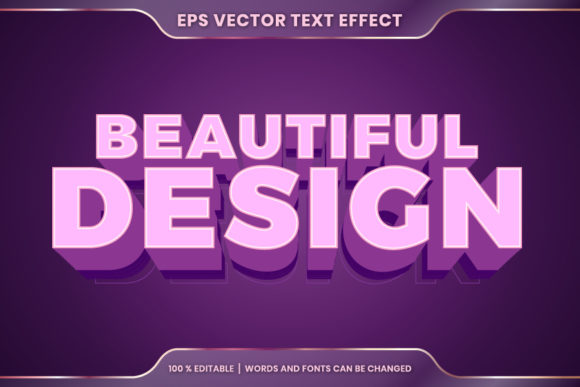
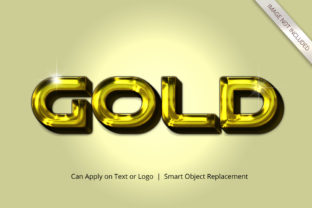
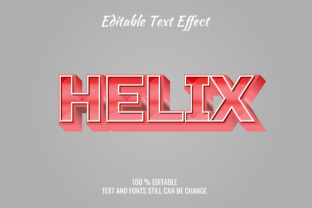
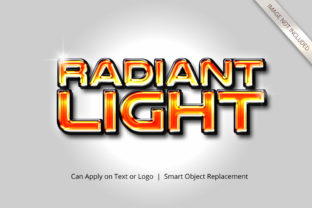
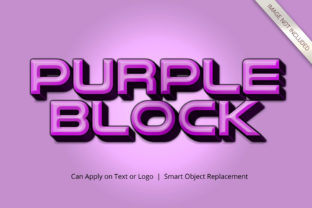
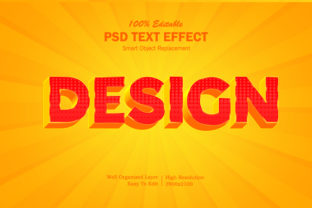
A 3D Design Text Effect simulates three-dimensional space on a two-dimensional surface—typically using lighting, shading, perspective, bevels, extrusion, or layering techniques. Unlike true 3D modeling (which requires geometry and rendering engines), this effect is often applied in graphic design software, web CSS, motion tools, or even presentation apps. The result? Text that appears lifted, carved, glowing, metallic, or embedded—depending on the intent.
Key characteristics include:
- Depth cues: Shadows, gradients, and highlights that suggest volume
- Perspective control: Adjustable angles to mimic top-down, side-on, or isometric views
- Material simulation: Visual textures like chrome, glass, stone, or neon that enhance realism
- Light source responsiveness: Consistent highlights and cast shadows that behave as if lit from a specific direction
Why Use It? Purpose Beyond Aesthetics
The 3D Design Text Effect serves more than decorative goals—it fulfills real communication needs:
- Visual hierarchy: In crowded interfaces or fast-scrolling feeds, dimensional text stands out without relying solely on size or color.
- Brand differentiation: A signature 3D treatment—like Apple’s subtle extruded typography or Netflix’s bold, layered titles—creates instant recognition.
- Emotional resonance: Rounded, soft-beveled text feels friendly; sharp, angular extrusions convey strength or innovation.
- Contextual storytelling: In educational apps or product demos, 3D text can mirror physical objects—e.g., a “lift” animation reinforcing a “raise your hand” prompt.
Who Benefits Most From This Technique?
While designers often lead implementation, the value of the 3D Design Text Effect extends across roles and industries:
Creative Professionals
Graphic designers use it for logos, posters, and social assets. Motion designers animate it for intros, transitions, and explainer videos. UI/UX designers apply restrained versions to buttons or headings—enhancing interactivity while maintaining accessibility.
Business Owners & Marketers
A local bakery might add subtle 3D frosting texture to its “Fresh Daily” banner. An SaaS startup could use isometric text in a landing page hero to visually echo its 3D dashboard interface—creating cohesive, memorable first impressions.
Educators & Content Creators
In e-learning modules, 3D-labeled diagrams help learners mentally rotate concepts. YouTube creators use animated 3D titles to punctuate key takeaways—boosting retention and shareability.
Developers & Web Builders
Modern CSS (with transform, filter, and box-shadow) enables lightweight, performant 3D text effects—no heavy libraries required. When paired with responsive principles, these effects adapt gracefully across devices.
Where Does It Shine? Real-World Applications
Here’s where the 3D Design Text Effect delivers measurable impact:
- Website headers: A hero section with gently extruded headline text draws the eye downward—increasing scroll depth and time-on-page.
- Digital signage: In retail or corporate lobbies, bold 3D typography holds attention amid ambient movement and noise.
- Presentation decks: Replacing flat bullet points with layered, angled labels makes complex frameworks feel tangible and navigable.
- Mobile app onboarding: Animated 3D text pulses or rotates to highlight interactive elements—reducing cognitive load for new users.
- Print collateral: Though inherently 2D, embossed or foil-stamped text mimics 3D depth—adding premium tactility to business cards or packaging.
Strengths—and Honest Considerations
The 3D Design Text Effect offers compelling advantages—but effectiveness depends on thoughtful execution:
Strengths
✅ High visual return on effort: Many tools (Figma, Canva, Adobe Express) offer one-click 3D presets—making professional polish accessible without deep expertise.
✅ Platform flexibility: Works natively in browsers, video editors, and static design files—no plugin dependency required.
✅ Scalable storytelling: A single 3D treatment can unify a brand’s entire content ecosystem—from email subject lines to AR filters.
Practical Considerations
⚠️ Legibility matters: Overly complex bevels, low-contrast shadows, or excessive rotation can hurt readability—especially at small sizes or on mobile screens.
⚠️ Performance trade-offs: Heavy WebGL or SVG-based 3D text may slow page loads or drain battery on older devices. Lightweight CSS alternatives are often smarter for web.
⚠️ Accessibility alignment: Ensure contrast ratios meet WCAG standards—even with shadows and gradients. Never rely solely on dimension to convey meaning.
When Might It *Not* Be the Right Choice?
The 3D Design Text Effect isn’t universal. Pause before applying it when:
- Your audience prioritizes speed and simplicity (e.g., utility apps, government services, accessibility-first platforms)
- Content is dense or technical—where clarity trumps visual flair
- Branding guidelines emphasize minimalism, neutrality, or heritage (e.g., legal firms, academic institutions)
- You’re designing for environments with limited rendering capability—like legacy email clients or basic kiosks
Getting Started: Practical Evaluation Tips
Before committing to a 3D Design Text Effect, ask yourself these questions:
- What action should this text inspire? If the goal is quick scanning or data absorption, prioritize clean typography over dimension.
- Does it support—not distract from—the message? Test it with real users: Can they read it in under two seconds? Does it clarify or complicate?
- Is the effect consistent with your broader design language? A playful 3D treatment clashes with austere layouts—unless intentional contrast is part of your strategy.
- Can it scale responsively? Will the effect remain legible and performant on a 4-inch phone screen and a 27-inch monitor?
- Do you have fallback options? For web, define a graceful 2D alternative using
@supportsor progressive enhancement.
A Final Thought: Dimension With Intention
The 3D Design Text Effect isn’t about chasing trends—it’s about leveraging perception to serve purpose. Depth catches the eye, but clarity keeps the user. Texture adds warmth, but consistency builds trust. When grounded in audience needs, technical feasibility, and strategic goals, this technique moves beyond decoration to become a quiet yet powerful communication partner.
Whether you're sketching a logo concept, building a landing page, or scripting a tutorial video, remember: the most effective 3D Design Text Effect isn’t the flashiest one—it’s the one people don’t notice as an effect. They simply understand faster, remember longer, and feel more connected to what you’re saying.