Greenery Silk 5x7 Card Mockup: A Practical Tool for Visualizing, Refining, and Presenting Physical Card Designs
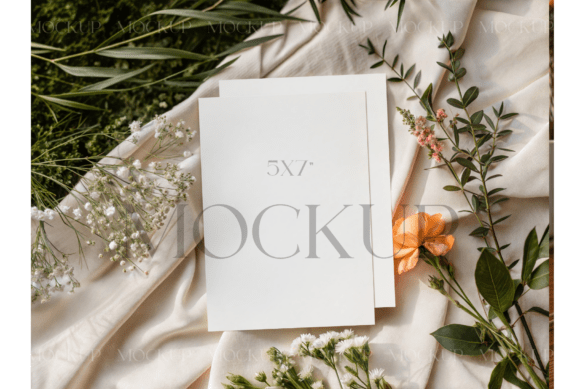
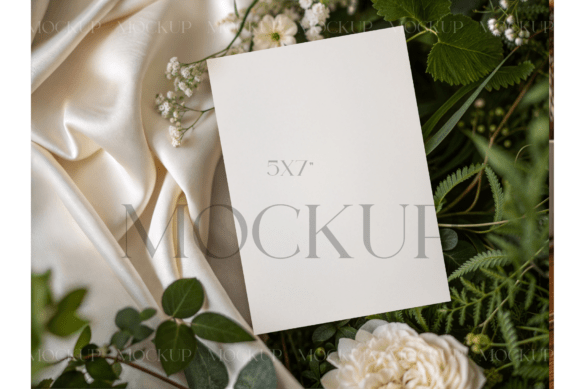
The Greenery Silk 5x7 Card Mockup is a high-fidelity digital template designed to showcase printed 5×7-inch cards—such as greeting cards, business cards, mini-folders, event invitations, or educational flashcards—on a realistic, textured background. Unlike generic mockups, it features a soft, natural green silk fabric base with subtle folds, ambient lighting, and precise dimensional alignment. It’s not a design tool itself, but a critical bridge between digital creation and physical outcome—used most effectively when clarity, professionalism, and tactile authenticity matter.
Where It Fits in Your Design-to-Delivery Workflow
This mockup enters your process at the validation and presentation stages—not at the start of ideation, and not after printing is complete. Think of it as the final checkpoint before sending files to print or sharing concepts with stakeholders. You use it after you’ve finalized typography, color balance, layout proportions, and bleed settings in your design software (e.g., Adobe Illustrator, Affinity Designer, or Canva Pro), but before approving press-ready PDFs or ordering samples.
For example, a wedding stationer might finalize invitation copy and foil-stamping placement in Illustrator, then drop that artwork into the Greenery Silk 5x7 Card Mockup to assess how the deep forest green silk interacts with gold foil accents—and whether text remains legible against the subtle texture. A small-batch educator creating vocabulary flashcards uses it to confirm that card backs align cleanly with front-side content and that the 5×7 format supports comfortable handling during classroom use.
How It Integrates With Other Tools and Decisions
The Greenery Silk 5x7 Card Mockup works best when paired with intentional upstream choices. Its realism depends on accurate source files: your design must be built at true 5×7 inches with 0.125-inch bleed and CMYK color mode if intended for commercial printing. If you’re using RGB-only tools like Canva, export at 300 PPI and convert colors manually before placing them into the mockup—otherwise, on-screen color shifts may mislead your judgment.
It also interfaces directly with client communication. Instead of sending flat PNGs or layered PSDs, embedding the mockup into a Figma prototype or Notion page gives clients immediate context: they see the card as an object—not just a rectangle of pixels. That reduces back-and-forth about “how big it’ll feel” or “will the green overwhelm the text?” Likewise, when pitching to printers, including a mockup alongside your press-ready file signals attention to detail and helps avoid costly reprints due to unexpected contrast or spacing issues.
Compatibility and Setup Considerations
The mockup is typically delivered as a layered PSD or Smart Object-enabled Photoshop file. It’s compatible with Adobe Photoshop CC 2020+, and some versions support Figma via plugin-based converters (though native fidelity is highest in Photoshop). No third-party fonts or plugins are required—but do verify layer naming conventions match your workflow. Most well-structured versions label layers clearly: “Card Front,” “Card Back,” “Shadow,” “Fabric Texture.” Avoid over-editing the base silk layer; its value lies in consistency and realism, not customization.
If you work across devices, note that the mockup file size often exceeds 100 MB due to high-res textures and smart object nesting. Keep a compressed version (with flattened preview layers) for quick client reviews, and reserve the full file for final QA checks on desktop.
Practical Implementation Tips for Real Workflows
Tip 1: Use it for comparative testing. Duplicate the mockup file and swap in variations—different paper stocks (matte vs. uncoated), alternate color palettes, or revised hierarchy—to evaluate which version communicates intent most clearly. Because the silk base stays constant, differences in perception stem directly from your design choices—not inconsistent lighting or perspective.
Tip 2: Build reusable templates around it. Save a version with your brand’s standard bleed guides, safe zone markers, and crop marks embedded as non-printing layers. This eliminates repetitive setup each time you create a new card variant—say, seasonal greetings or conference swag—and ensures alignment with your printer’s specifications.
Tip 3: Layer it into documentation—not just presentation. Embed the Greenery Silk 5x7 Card Mockup in internal SOPs for print production, or include it in handoff kits for freelancers. When someone sees exactly how the final piece should sit in context—not just what it contains—they’re less likely to misinterpret margins, fold lines, or finishing options.
Long-Term Use and Consistency
Over time, the Greenery Silk 5x7 Card Mockup becomes a reference anchor. As your brand evolves, revisit past mockups alongside new ones to audit visual continuity: Does the silk tone still complement your updated palette? Has card weight perception shifted as your audience has grown more design-literate? These aren’t aesthetic questions alone—they reflect how users physically interact with your materials. A consistently used mockup builds institutional memory: team members learn to associate that specific green silk base with your standard 5×7 deliverables, reducing ambiguity in cross-functional reviews.
That said, don’t treat it as immutable. If you begin working with textured papers (linen, cotton, or kraft), consider supplementing this mockup with one that matches those substrates. The Greenery Silk 5x7 Card Mockup excels for smooth, premium-feel applications—but it won’t accurately simulate how ink absorbs into porous stock. Knowing when not to use it is part of mastering it.
Efficiency Without Sacrificing Quality Control
One common mistake is treating mockups as decorative polish rather than quality control tools. The Greenery Silk 5x7 Card Mockup reveals issues flat previews hide: slight kerning imbalances become obvious against fabric folds; low-contrast gray text disappears into shadowed creases; centered logos drift off-axis when viewed at real-world scale. Running a 60-second mockup check adds negligible time to your process—but prevents hours of revision later.
To streamline further, batch-process multiple designs using Photoshop Actions. Record a sequence that places artwork, toggles visibility of guide layers, and exports a JPG—then apply it across 10–15 variants in under two minutes. Pair that with a simple checklist: “Bleed verified? Text clear in shadow zones? Logo aligned to fold line?” That combination turns a passive visual step into an active verification point.
Real-World Integration Examples
- Freelance graphic designer: Sends three Greenery Silk 5x7 Card Mockup variations to a nonprofit client alongside a short Loom video walking through key decisions—why serif type improves readability on silk, how the green base reinforces their environmental mission, where QR codes are placed for thumb-friendly scanning.
- Small business owner launching a product line: Uses the mockup to generate social media assets—showing cards in context on a desk beside coffee mugs and notebooks—while keeping the same file for printer submission. No need to recreate layouts across platforms.
- Educator developing study tools: Prints a single mockup-derived proof, cuts it out, and tests it during a live class session. Notes where students struggle to flip or read text—then adjusts font size and contrast before final production.
Ultimately, the Greenery Silk 5x7 Card Mockup isn’t about making things look “prettier.” It’s about reducing uncertainty—between screen and shelf, idea and object, intention and experience. When used deliberately, it supports clearer decisions, smoother handoffs, and more confident launches—whether you’re shipping 50 cards or 5,000.